Built for STEM teaching videos

The whiteboard built
for teaching.

Draw diagrams. Generate charts and architectures with AI. Render Manim math animations from a sentence. Record your screen and ship the video. All in one canvas.

Start drawing — free Sign in for AI See features
Your canvas, your diagrams, your video.
Three pillars

Everything a teacher needs.

From freehand diagrams to AI-generated architectures to LaTeX-rendered math animations — TeachBoard collapses an entire toolchain into one tab.

Draw & diagram

Infinite canvas. Pencil, shapes, lines, arrows, text. Three styles — clean, sketch, rough. Tables, charts, layered selections, and group / ungroup. PDFs, images, video, and animated sprites all live on the same surface.

AI on your canvas

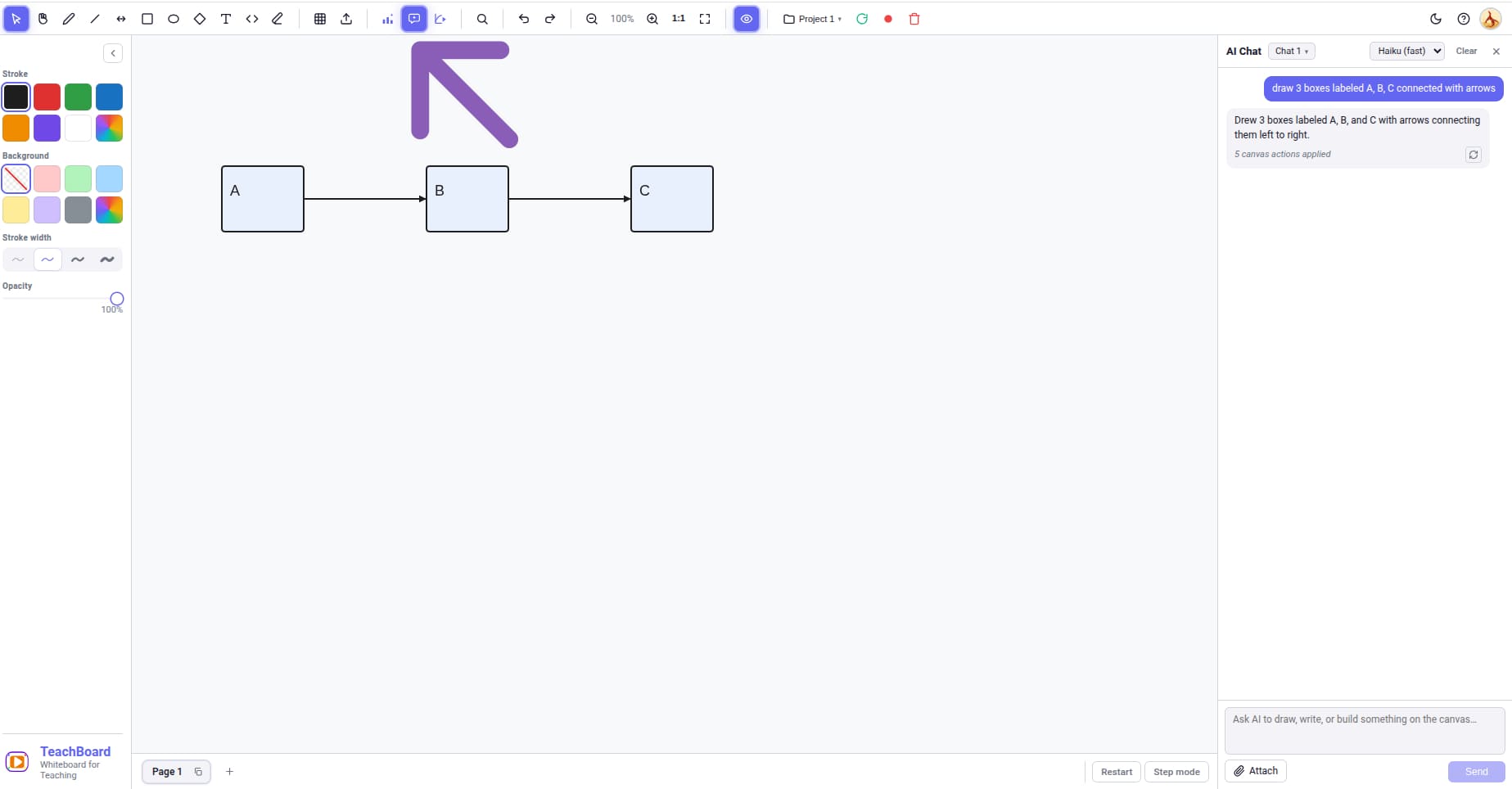
Type "bar chart of top 5 planets by mass" and it lands. Say "microservices architecture for an e-commerce app" and a typed flow diagram appears. Edit anything by selecting it and asking for changes — the AI modifies in place.

Animate & record

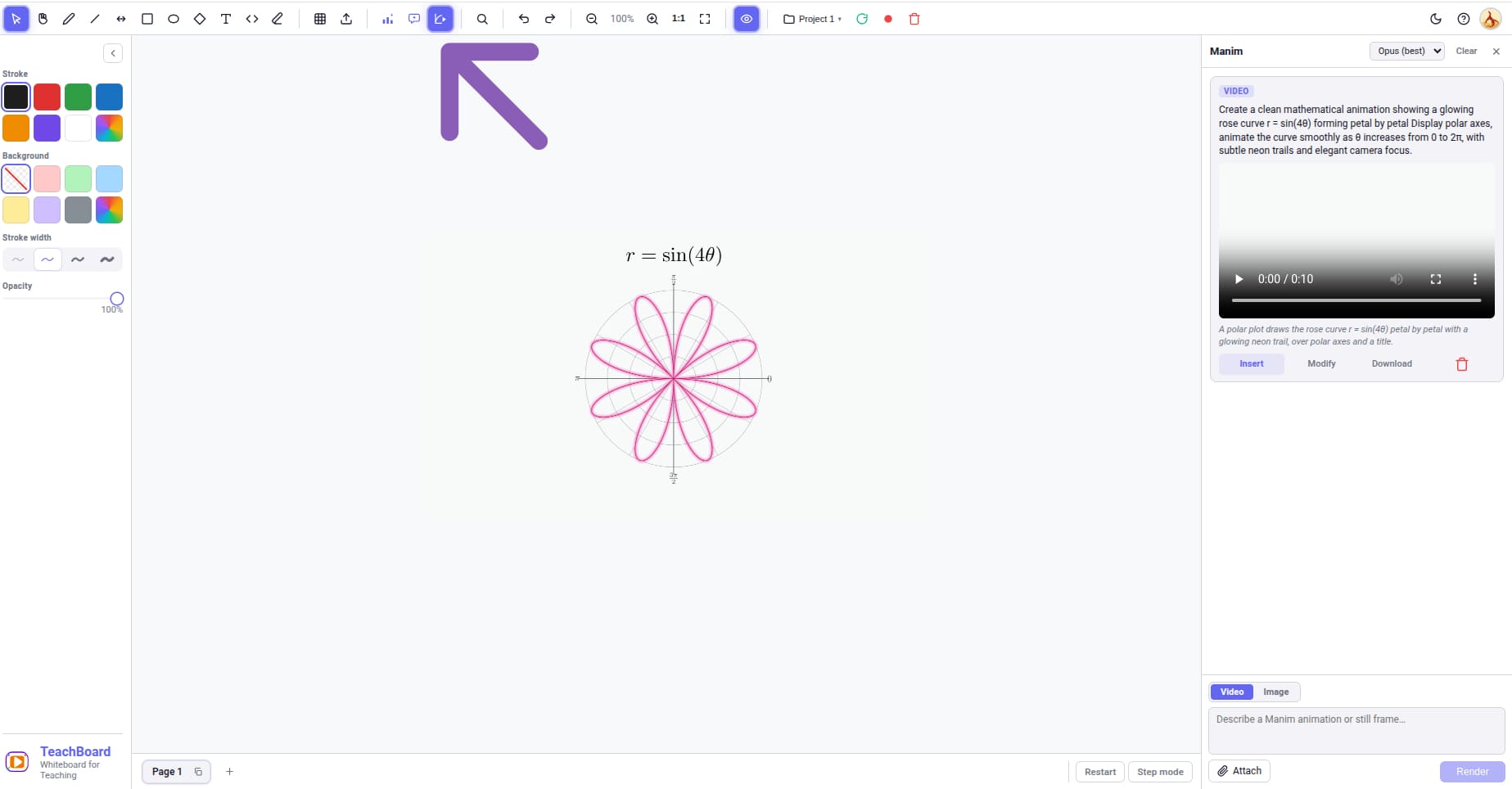
Server-rendered Manim animations from natural language — gradient descent, Fourier transforms, geometry proofs. Drop the MP4 onto your canvas. Then record the whole tab, with camera + mic overlay, straight to MP4 or WebM.

Feature tour

Built for the deep work of explaining.

Twelve carefully-shaped tools — each one earns its place because teaching demands it.

Pressure-sensitive pencil

Smooth freehand strokes via perfect-freehand, with a pencil-smoothing slider for natural-feeling lines.

Shape beautification

Toggle on and your sloppy freehand circles snap into clean ellipses, rectangles, and lines automatically.

AI charts & diagrams

Bar, line, pie, doughnut, radar, polar, scatter, bubble — pick a type or let Claude pick. Chart.js under the hood.

Typed flow diagrams

Service, database, cloud, decision, layer, input, output — each renders as its own shape so architectures look right.

Mermaid diagrams

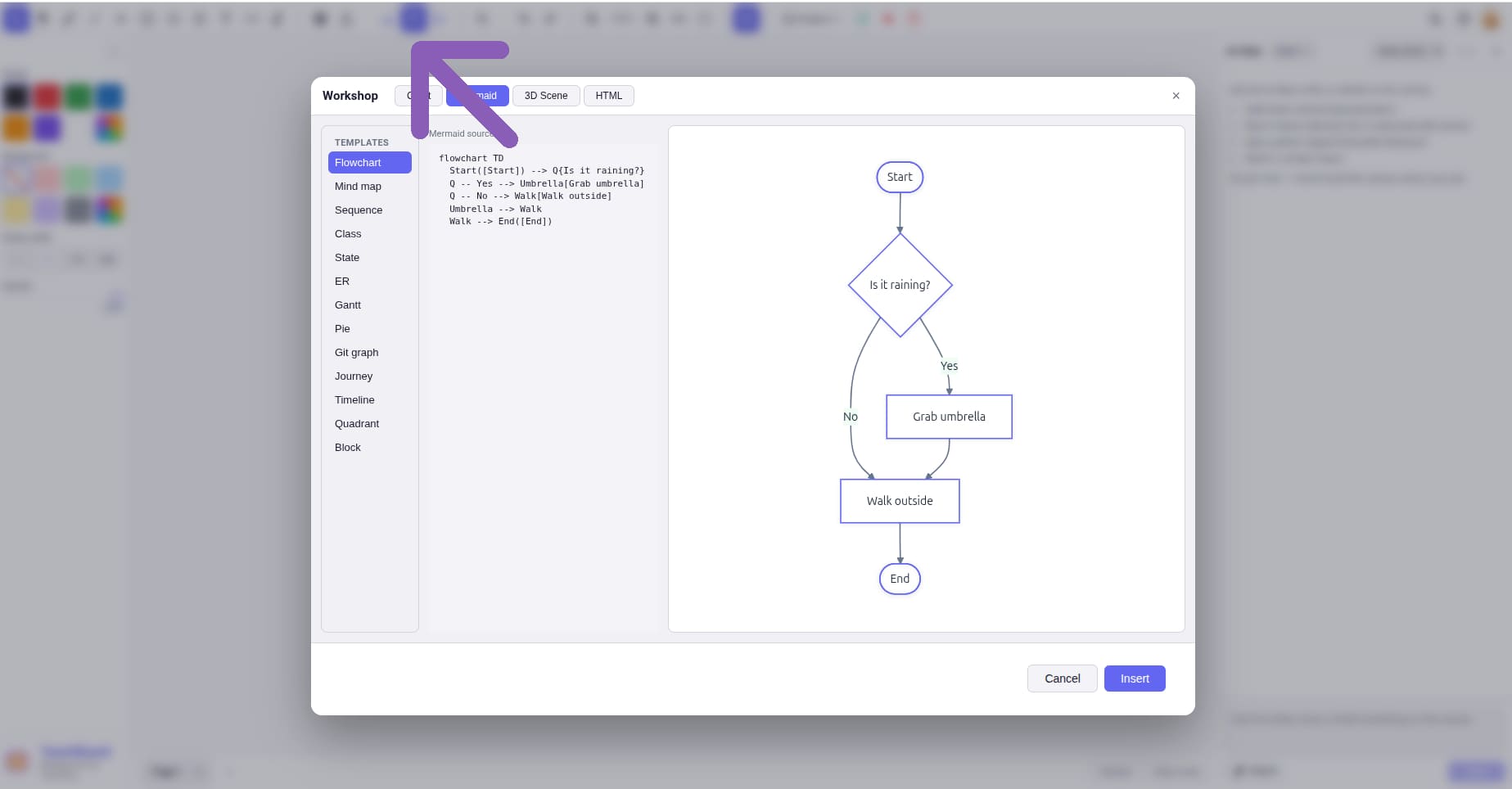
Sequence, class, ER, state machine, mind map, gantt — typed natural language → live SVG on your canvas.

Manim animations

"Show gradient descent on a 3D bowl" — Manim Community + LaTeX renders an MP4 that drops straight onto the canvas.

PDF page-bind

Drop a PDF, page through it, and bind annotations to a single page — they hide and follow as you flip.

Sprite + video import

Multi-image sprite sequences play as one animated element. Videos render live with play / pause / reset overlays.

Asset library

Save selections as reusable assets, drag in your own SVG / PNG library — kept per user, scoped to your Google ID.

Icon search (Freepik)

Type a query, get 24 SVG-first icons, and drop them straight on the canvas. Recently used icons cached for re-use.

Screen + camera record

Record canvas-only or full tab, with optional draggable camera overlay and microphone. Export MP4 or WebM.

KaTeX math + markdown

Inline $\\sigma$ and block $$\\int$$ equations render live inside text elements. Markdown bold/italic too.

Pricing

Free to start. Pay when it pays back.

Use the canvas anonymously. Sign in for a 20-call AI try-out. Go Pro when you're ready to ship videos.

Anonymous
$0
  • Full drawing canvas
  • Tables, shapes, text, code blocks
  • PDF / video / image import
  • Local save / load / export
  • AI canvas (sign in to try)
  • Manim animations
  • Cloud project sync
Open the canvas
Pro
$10/mo
  • Everything in Free
  • 50 AI calls / month
  • 20 Manim renders / month
  • Cloud project sync (S3)
  • Bring-your-own Anthropic key
  • Priority Manim queue
Coming soon
Reference

Keyboard shortcuts.

All the muscle-memory you'd want. Designed to feel right whether you're sketching, recording, or zooming around an architecture.

Tools

ShortcutTool
Shift+VSelect / marquee
Shift+HPan
Shift+PPencil
Shift+LLine
Shift+AArrow
Shift+RRectangle
Shift+OEllipse
Shift+DDiamond
Shift+TText
Shift+CCode block
Shift+EEraser

Editing

ShortcutAction
+ZUndo
+Shift+ZRedo
+ASelect all
+C / +VCopy / paste
+GGroup
+Shift+GUngroup
+MWrap selection in $math$
DeleteDelete selected
EscClear selection
Shift+FFit all to screen
+scrollZoom canvas

Ready to teach better?

Open the canvas — no sign-in needed. Sign in to unlock 20 free AI calls.

Open TeachBoard → Sign in for AI